Key Takeaways for 2026 Desk Ergonomics
- Eye Level Alignment: Position the top third of your monitor directly at eye level to prevent forward head posture and upper back strain.
- Targeted Lumbar Support: Set your chair’s lumbar cushion to fill the natural inward curve of your lower spine without pushing your pelvis forward.
- 90-to-100 Degree Arm Angle: Lower or raise your desk surface so your arms rest comfortably with elbows bent slightly past 90 degrees.
- Firm Footing: Keep your feet flat on the floor or on a stable footrest to offload weight from your lower lumbar spine.
- Dynamic Movement: Change postures every 30 to 45 minutes using sit-stand transitions to keep spinal discs hydrated and active.

Photo by Alpha En on Pexels
The Modern Workday and Spinal Strain in 2026
Back pain remains the single biggest productivity killer for remote workers and office professionals in 2026. The shift toward longer uninterrupted screen sessions and hyper-focused digital workflows means many people sit in static, demanding positions for six to ten hours every day. When your desk layout is improperly configured, the body compensates by slumping, reaching, or twisting, placing massive mechanical load on the lumbar region and surrounding muscle groups.
Eliminating back pain does not require expensive clinical gear or radical workspace overhauls. Instead, it relies on systematic adjustments to your primary work tools—your chair, monitor, keyboard, and desk height. By aligning these elements to match your individual biomechanics, you reduce spinal compressional loads and stop chronic pain before it starts.
Adjusting Your Chair: Lumbar Support and Seat Depth
Your office chair is the foundation of your ergonomic ecosystem. If the base setup is incorrect, no amount of monitor tweaking or posture correction will prevent lower back pain. Start by establishing the right relationship between your seat pan, lumbar curve, and the floor.
1. Seat Height and Foot Placement
Adjust your seat height so that your feet rest entirely flat on the ground. Your knees should bend at roughly a 90-degree angle, positioning your hips slightly higher than or level with your knees. If your knees are angled higher than your hips, your pelvis rotates backward, flattening your natural lumbar arch and causing significant strain on your spinal discs. If your feet dangle, use a broad, slip-resistant footrest to restore balance.
2. Lumbar Contour Positioning
Your spine features a natural inward curve at the lower back, known as the lordotic curve. The lumbar support pad on your chair must align directly with this curve—usually right around your beltline. Avoid setting the lumbar support too high, as this forces your mid-back forward, or too low, which pushes your pelvis out of alignment. The support should feel firm enough to take weight off your lower spine without digging uncomfortably into your back.
3. Seat Depth and Thigh Support
Seat depth is frequently overlooked, yet it plays an essential role in spinal health. Sit fully back against the backrest. Slide your hand into the gap between the front edge of the seat cushion and the back of your knees. You should have a two-to-three-finger gap. If the seat presses directly against the back of your knees, it restricts blood flow and forces you to slouch forward to find relief, completely negating your lumbar support.
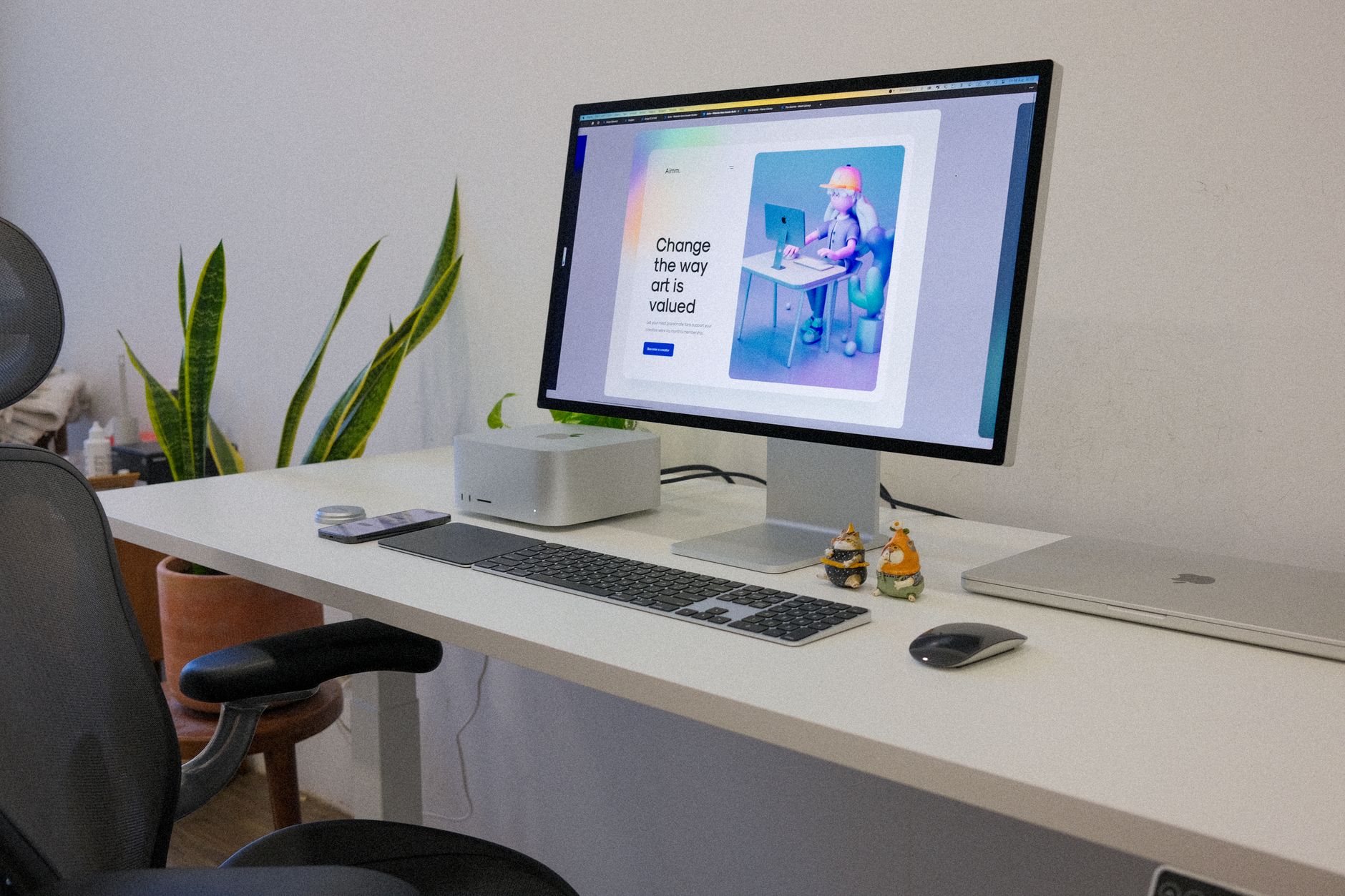
Photo by Tranmautritam on Pexels
Monitor Height and Distance: Protecting the Cervical Spine
Neck position directly dictates lower back posture. When your head drifts forward to view a screen that is placed too low, too far, or off-center, your upper back muscles stretch out of shape, and your lower back slumps to balance the extra weight of your head.
1. Vertical Eye Level Alignment
Position your primary monitor directly in front of you. Adjust the height of the screen so that your eyes align with an imaginary horizontal line about two to three inches below the top edge of the display frame. When looking at the center of the screen, your neck should remain neutral, with your chin level and your gaze angled downward at roughly 15 degrees.
2. Viewing Distance and Text Sizing
Place your monitor roughly an arm's length away—between 20 and 30 inches from your face. If you find yourself leaning forward to read small text, adjust your display scaling settings in your operating system rather than moving your physical body closer. Pulling your chin forward to compensate for small text adds immense pressure to the upper thoracic and lumbar regions.
Desk Height, Keyboard, and Mouse Positioning
A desk set to an incorrect height forces your neck, shoulders, and lower back into continuous strain. If your desk is too high, you instinctively raise your shoulders to reach the surface, creating severe upper-back tension. If it is too low, you lean forward over your lap.
1. Elbow Angle and Armrest Setup
Adjust your desk surface or keyboard tray so that your elbows hang naturally under your shoulders at an open angle between 90 and 100 degrees. Your wrists should remain completely neutral—straight, not bent upward or downward—as you type. Set your chair’s armrests so they gently support your forearms without pushing your shoulders upward toward your ears.
2. Mouse and Keyboard Proximity
Keep your keyboard and mouse close together directly in front of your core body. Avoid reaching out to the side for the mouse. Reaching pulls your shoulder blade away from your spine, tilting your torso off-center and loading one side of your lower back unevenly throughout the day.
Integrating Movement and Micro-Breaks
The human spine is designed for dynamic movement, not prolonged immobility. Even a geometrically perfect desk setup can lead to stiffness and ache if you remain frozen in position for hours at a time.
- The 30-Minute Transition Rule: If you use an adjustable sit-stand desk, aim for a ratio of 30 minutes sitting followed by 15 to 20 minutes standing. When standing, ensure your weight is distributed evenly across both feet rather than leaning on one hip.
- Micro-stretches: Every hour, pause for 60 seconds to perform gentle standing back extension stretches. Place your hands on your lower hips and gently arch backward to reverse the forward-flexed posture of sitting.
- Hydration and Movement: Keep water on your desk. Regular water intake naturally prompts you to stand up, walk around, and reset your spinal posture throughout the workday.
Fixing back pain in 2026 is a process of small, deliberate biomechanical adjustments. By systematically setting your chair, monitor height, and working angles while maintaining regular movement, you eliminate unnecessary pressure on your spine and build a comfortable, pain-free workstation.



No comments:
Post a Comment